
SEO
Location Pages for Local SEO: One Real Page per Real Place
Local results run on relevance, distance and how well-known a business is. Location pages help when each one describes a real place a customer can use.
The useful question is not whether an agent can do the task. It is what happens when it does the task wrong, how fast you find out, and who is holding the bill when you do.

The message was well written. Warm, on brand, correctly punctuated, and a genuinely good follow-up to a proposal. It went to the wrong client — one who had never seen the proposal, and who now knew roughly what a competitor was being quoted.
Nothing in that failure looks like the AI failures people brace for. The model did not hallucinate. It did not produce gibberish. The prose was better than most of what your team ships on a Friday. It failed at the boundary: it picked the wrong record, and there was nothing between the pick and the send.
This is the shape of nearly every agent incident worth worrying about in an agency. The drafting is fine. The judgment about which client, which account, which budget, which inbox — that is where the damage lives. So the design question is not “what can the agent do.” It is “where does the agent stop, and what is the cost of the thing it does last.”
Being unimpressed is as expensive as being credulous. Agents are genuinely, unusually good at a specific class of work, and an agency that refuses it is paying people to do things they resent.
Notice what those have in common. Each produces an artifact that a person then looks at. None of them is the last action in the chain. That is not a coincidence; it is the entire design principle, and it holds even at the sharp end of automation. When Ahrefs demonstrated an agent fixing a broken image, the agent “opened a pull request with a code fix” — a person merged it. Their own guidance is blunt about why: “SEO agents don’t need to be fully autonomous. Most good ones have human approval steps built in.”
Agent failures are not random. They cluster, and each cluster has a different shape of damage — which is what makes them gateable rather than merely worrying.
The agent states something confidently that is not in the data. In agency work this usually looks like a number in a report that no source produces, or a claim about a client’s performance that reads plausibly and reconciles to nothing. It is dangerous precisely because it is fluent.
The agent calls a tool with the wrong argument — the wrong account id, the wrong campaign, the wrong date range. Output looks normal. It describes the wrong thing. This is the wrong-thread failure, and it is the most under-defended because the artifact itself passes a read-through.
The agent does not remember that this client asked never to be called before 10am, that the last campaign in this vertical was pulled for a compliance reason, or that a phrase is off-limits. Institutional context lives in your team’s heads and in threads the agent never read.
The failure that turns an incident into a crisis. Something happened, and there is no record of what, under whose authority, against which version of the instructions. You cannot explain it to the client because you cannot reconstruct it yourself.
A bad draft costs ten minutes. A bad send costs a client. The difference between them is not model quality — it is whether anything stood between the draft and the send.
Sort every task you might automate into one of three tiers. The sorting question is never “can it?” — it is “if this is wrong, who finds out, how fast, and can we take it back?”
| Task | Tier | Why it lands there |
|---|---|---|
| Crawl a client site and list technical issues | Auto | Read-only; wrong output costs a re-run |
| Draft a month of social captions | Draft for review | Leaves your walls under the client’s brand |
| Tag and route an inbound lead | Auto | Internal, visible, trivially re-routed |
| Score a lead and set a follow-up SLA | Auto | Internal ranking; a bad score is corrected on sight |
| Send a first-touch cold email | Draft for review | One send is one first impression, spent |
| Reply to an existing thread with a known client | Draft for review | Tone and context failures land on a relationship |
| Generate a client report from connected data | Auto to draft, never to send | Compile freely; a person presents it |
| Change an ad budget or bid | Draft for review | Spends real money, on someone else’s account |
| Pause a campaign that breached a guardrail | Auto | Fail-safe direction — stopping spend is recoverable |
| Publish a blog post to a client’s live site | Draft for review | Public, indexed, attributed to the client |
| Open a pull request with a technical SEO fix | Auto to PR, never to merge | The PR is the gate; review is the point |
| Sign, quote, or commit to a deliverable | Never | Contractual. A person’s name goes on it |
A gate is not a confirmation dialog. A dialog that appears forty times a day is trained away within a week. Five properties separate a gate that holds from a gate that is clicked through.
Put approval exactly where an action cannot be undone: money moving, a message leaving, something being published. Everything upstream should run freely. A gate on every step teaches people that gates are noise.
A disabled button is not a permission. If the rule matters, it belongs where the action is actually executed, so it holds regardless of what the client sends. Hidden UI has never been authorisation.
An approval queue that shows only increase budget to $340/day gets rubber stamped. One that shows the proposed change, the current state, and why the agent is proposing it gets read. Reviewers need something to disagree with.
Every agent action should leave a record you can read later: what ran, on whose authority, against which version of the instructions, and what changed. This is the difference between explaining an incident to a client and apologizing for one.
The prompt, the tool list, the guardrails — these are configuration, and changing them changes behavior. Draft, review, publish. An agent whose instructions can be edited live by anyone is an agent whose past behavior cannot be explained.
Those five properties are the same whether the agent is drafting captions, proposing ad changes, or making calls. You can see them applied to spend in the ads approval queue, to outbound in the human review step on first-touch email, and to published work in SEO fixes that arrive as pull requests rather than silent edits.
Every AI tool sold to agencies claims guardrails. These questions separate the ones that implemented them from the ones that wrote them on the pricing page. Ask them in a demo and watch which ones get a straight answer.
The last one is the tell. Vendors who version agent behavior have thought about incidents; vendors who edit prompts in production have not had one yet.
Ahrefs put the boundary about as plainly as it can be put: “the editorial judgment on what to publish, whether the argument holds up, and what the strategic priority is stays with you.” That is not a limitation to be engineered away this year. It is the job. The agent takes the hours; you keep the last click.
Once the gate design is settled, the follow-on question is capacity — which of those hours you are actually getting back, and which ones a person still has to own. The hours audit is how to count them.
Local results run on relevance, distance and how well-known a business is. Location pages help when each one describes a real place a customer can use.
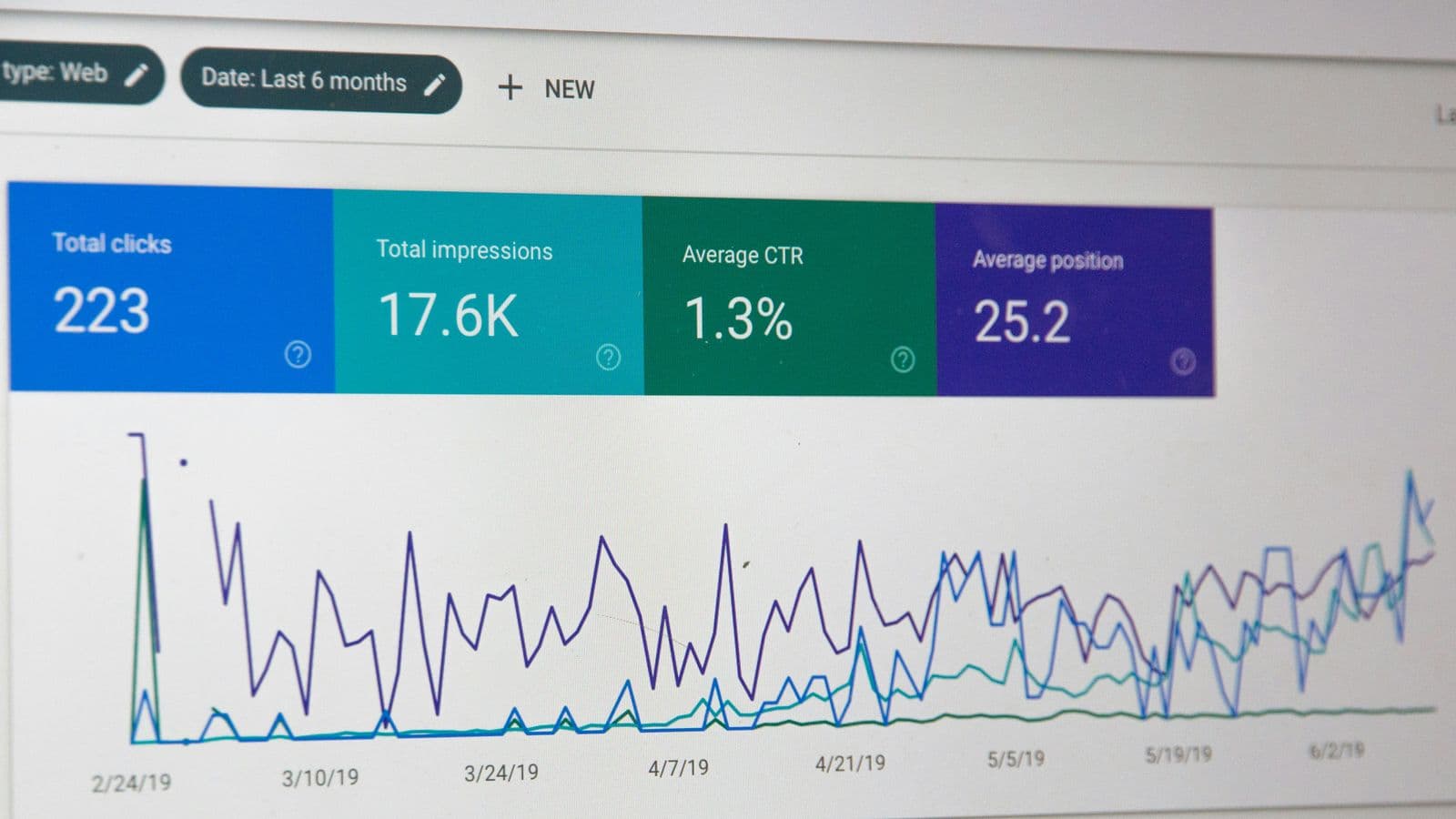
Two pages swapping places for one query is a symptom, not always a problem. How to confirm it, and which of four fixes fits the case.

The results page is the answer key: how to read it for intent, handle a query that means two things, and choose the page type before writing.
