CRM for agencies.
Find prospects, manage leads, and track deals in one workspace, with an AI assistant that reads each lead’s history and drafts the next step.


AI prospecting for agencies.
Describe the businesses you want. The agent searches, keeps the ones that fit, and proposes adding them to your CRM for you to confirm.
- 8 listings searched
- 6 without a website kept
- Added to the CRM as cold leads
Searches use workspace credits. Contact-data filters use your own Apollo or People Data Labs key, and new campaigns start paused.
Cold email sequences →An AI assistant on every lead.
Ask about any lead. The Assistant reads the record, the calls and the emails, tells you where things stand, and drafts the next message for you to send.
- Read the lead, its call and emails
- Summed up the call and the open deal
- Drafted the email into the reply
Every conversation in one inbox.
Team chat, client threads, texts and social DMs, answered through the channel they came in on.
- Team chat
- Client portal threads
 Instagram DMs
 Facebook and Messenger
 WhatsApp
 Quo (OpenPhone) lines
 Telnyx lines
 Twilio lines
- Prospecting texts
 Slack channels
 Telegram
- AI Assistant
Lead management, routed and scored.
Every enquiry lands in one queue with its source, an owner and a response deadline, so nothing waits in a personal inbox.
One lead queue for the whole team
Every lead with its source, owner, next follow-up and status, filtered by lens.
Lead routing, round robin or least loaded
New website leads get an owner within a minute, or stay manual.
Lead scoring from real engagement
Emails, calls, forms and visits add points. From 70 a lead reads as Hot.
A first-touch SLA on every new lead
Set the target in minutes. Overdue leads move into the Attention lens.
Do not contact, with the reason on record
A blocked lead’s follow-ups pause and the router skips it.

Leads from every source.
Forms and webhooks, imports, a photo of a business card, and visitors your LeadPost account identifies.
 Typeform
 Webflow forms
 Tally
Tally Fillout
 Google Forms
 Meta lead forms
 Website Visitors
- CSV imports
- Business-card capture
CRM automations for every follow-up.
Turn a lead, a form response or a booking into an owner, a timely message and a task your team can follow through.
- Start from a template or build a sequence with waits, reminders, deal updates and team notifications.
- Preview a test without sending messages or changing external accounts, then enable the workflow.
- Save edits as a draft while the published version keeps running.
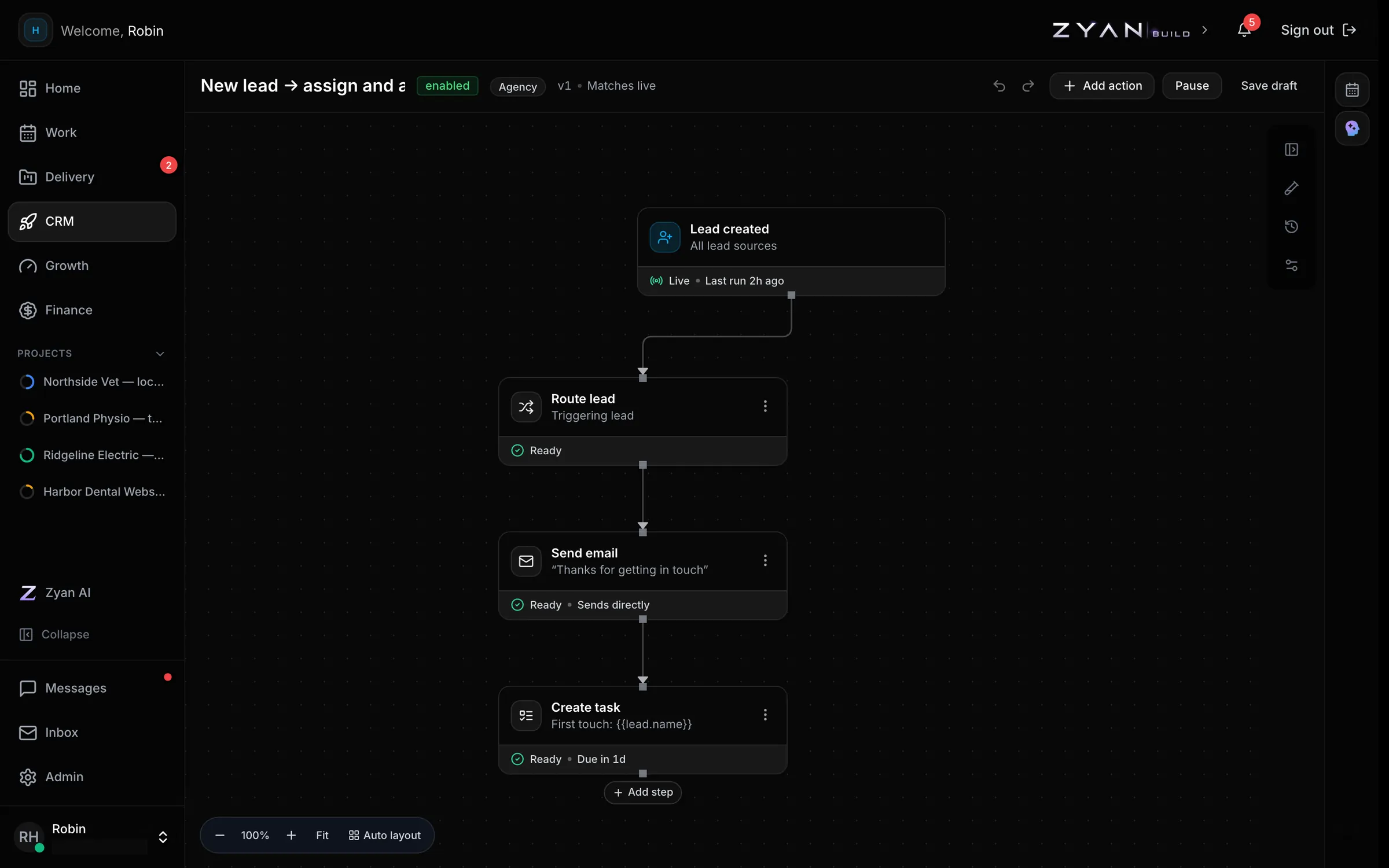
Messages use your connected channels. Smartlead and Apollo enrolments start paused. Explore outbound →
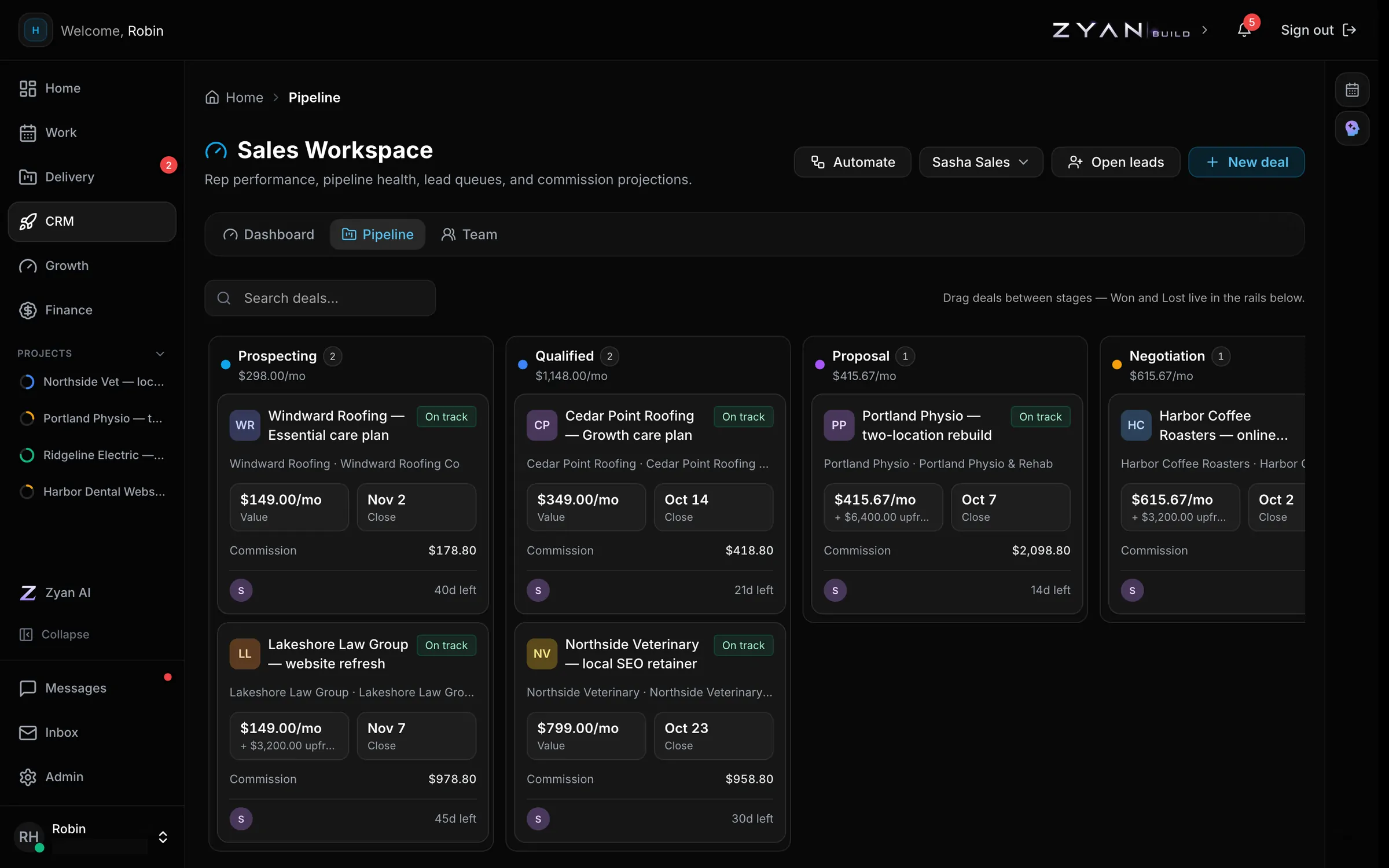
A sales pipeline that ends in a client portal.
Move deals from prospecting to won with their value and projected commission. A won deal becomes a client, with onboarding and a portal of their own.