◆ Zyan SEO

SEO Software for Agencies: Find the Keywords, Ship the Fixes.

The SEO Command Center: keyword research, site audits, backlink analytics, and position tracking that end in shipped work — fixes as pull requests, posts from a locked strategy, and live client reports. Run it for every client from one place.

◆ Included on Studio and up◆ Fixes ship as pull requests◆ Rollback ledger on every change
◆ Keyword research

Every Idea, Scored and Saved.

Keyword Magic pulls the market from DataForSEO — volume, difficulty, intent, CPC, trend, SERP features — for the country and city each client sells in. Save the winners to a list, add them to the strategy, or send the brief straight to Claude.

  • Five match types, from broad to questions
  • Keyword Gap against up to five competitors
  • Lists with a cost receipt — every run is budgeted per project
  • One click to a page brief in the terminal
What you get

Research, Fixes, and Reporting. One Subscription.

The tools an agency pays four vendors for — keyword research, backlink analytics, site audits, rank tracking — plus the part none of them do: the fix itself, shipped to the client's site.

Keyword Magic

Seed a phrase and pull up to 500 ideas per match type with volume, difficulty, intent, CPC, SERP features and a twelve-month trend — forty-plus markets, saved as lists you can hand to the strategy or to Claude.

Keyword Gap

Line a client up against competitors and see what is shared, missing, weak, strong, and untapped — the map of where to publish next.

Backlink Analytics

Authority, referring domains, anchors, follow share, spam score, and broken links to reclaim — captured as snapshots you can compare over time.

Site Audit → Autopilot

Errors, warnings, and notices become drafted fixes. Below the floor you arm they apply themselves; schema, canonicals, and redirects always ship as pull requests. Everything lands in a rollback ledger.

Position tracking

Tracked keywords with weekly SERP snapshots, movement, and the pages that own them — the ground truth from your own Search Console and GA4.

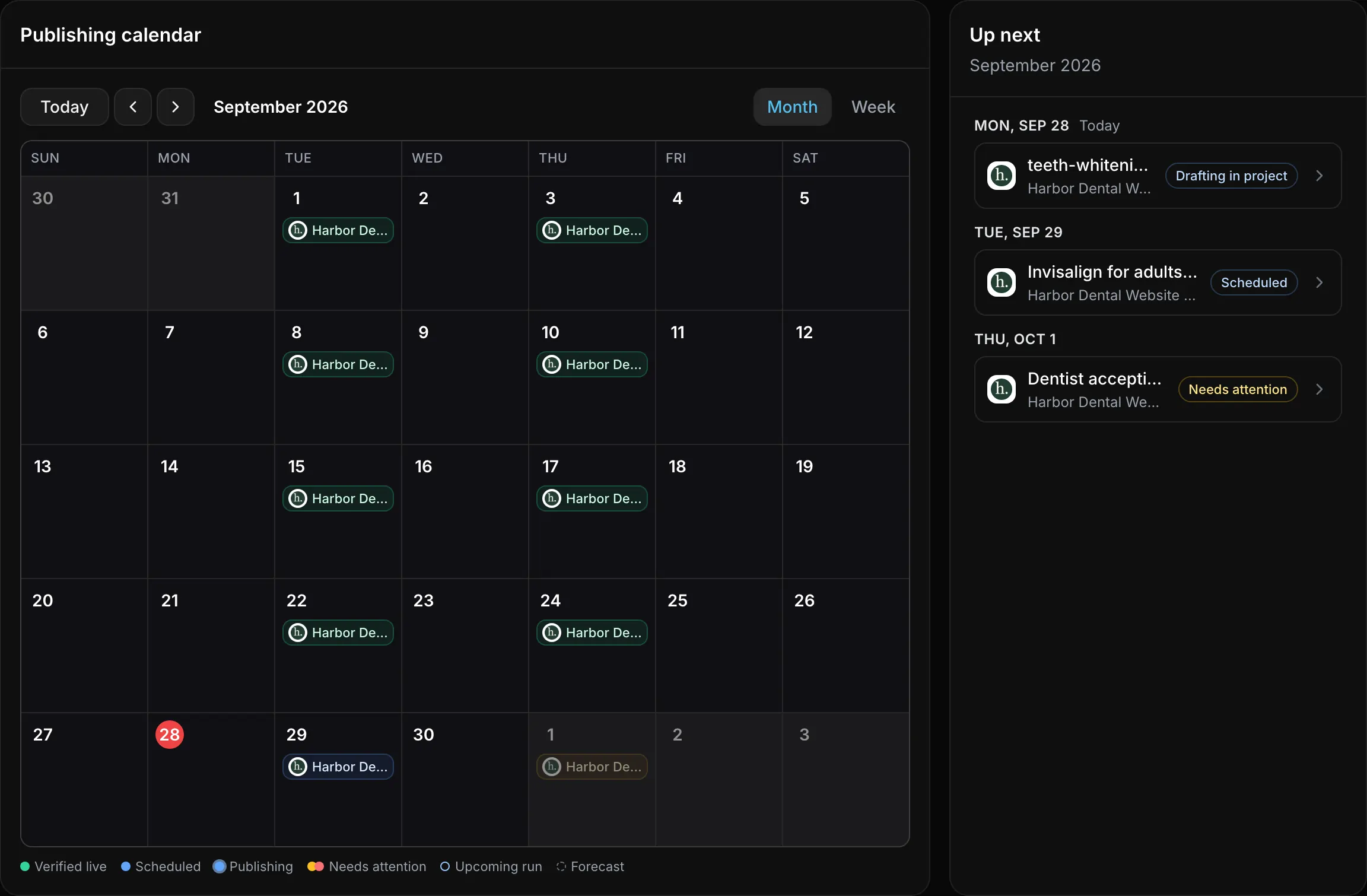
Autoblog + client reports

Topics graduate from the radar into drafted, revised, published posts that Search Console knows about; live branded report pages replace the monthly PDF, QA’d before they send.

◆ Strategy Center

Deep Research In. A Locked Strategy Out.

Each project gets a versioned strategy document built from your Search Console data, SERP snapshots, and competitor research — then red-teamed by a second model before it can lock. Autopilot and Autoblog only run from a locked version.

  • Versioned like a release — draft, red-team, lock; the hash pins what runs
  • Every claim cites its source: GSC queries, SERP snapshots, competitor crawls
  • Tracked keywords and target pages live on the strategy itself
Detect before it hurts

Audits Become Fixes. Fixes Become Pull Requests.

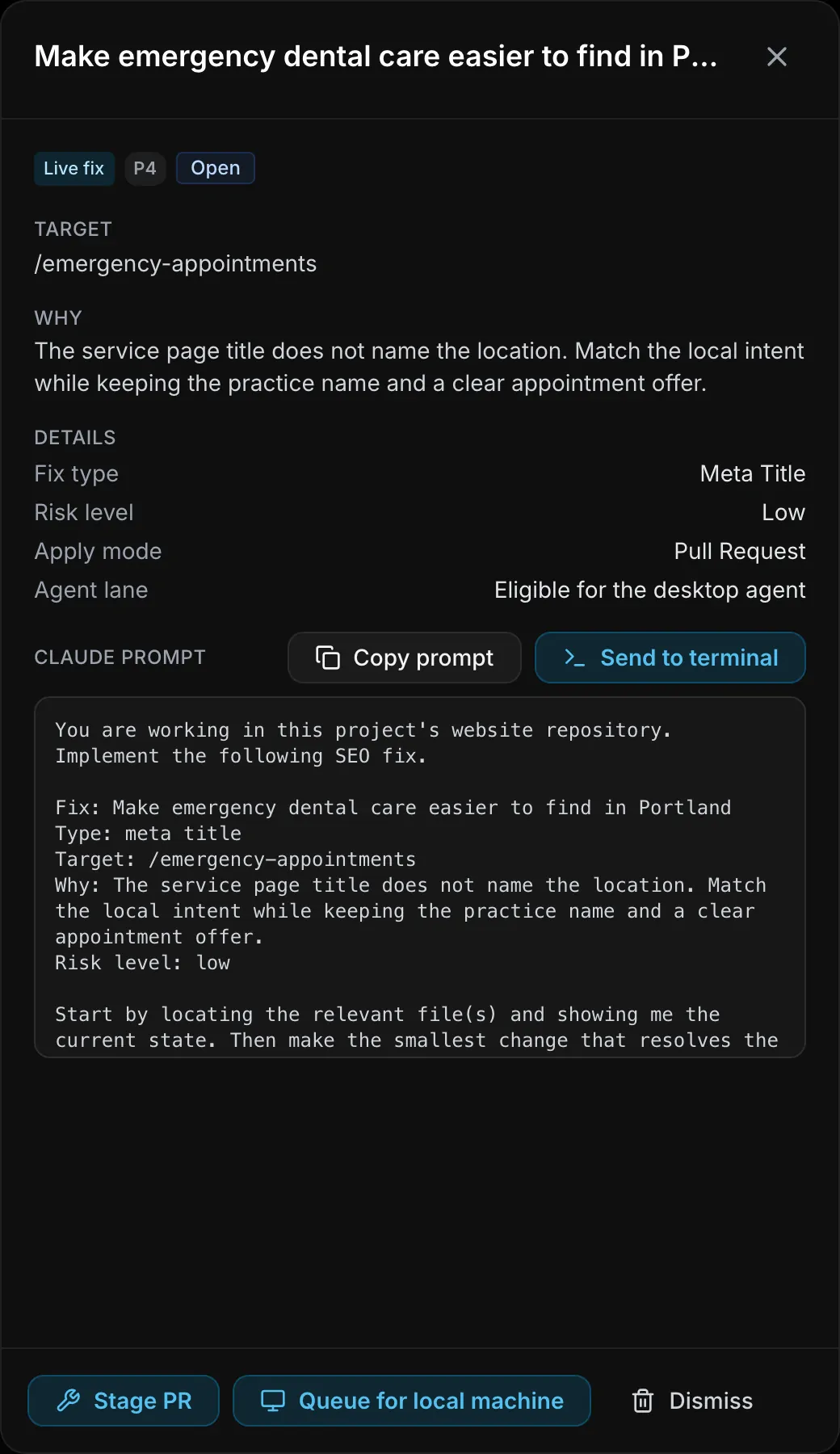
A scheduled crawl joins your Search Console queries and SERP snapshots, files findings with a severity and an owner page, and drafts the actual change — the meta tag, the canonical, the JSON-LD block — against the site's real code.

Detect

Site Audit runs on a schedule: errors, warnings, and notices with a page score, joined to what Google actually sees.

  • Crawl + GSC + SERP snapshot, one queue
  • Severity and owner page on every finding

Fix

Autopilot writes the diff. Below the floor you arm it applies itself; schema, canonicals, and redirects always earn a review.

  • Auto-apply: metas, alt text, internal links
  • PR-first: schema, canonicals, redirects

Prove

Every applied change lands in the rollback ledger with what changed, when, and a revert path. Undo is a first-class operation.

  • Merged fixes revert like any commit
  • Auto-applied ones revert from the ledger
◆ Automation

Growth, Reporting, and Maintenance on a Schedule.

Enroll a project once. Autopilot keeps the site clean, Autoblog keeps the cluster growing, and the report is a live link the client opens without a login — every month, without a Monday-morning scramble.

Autoblog from a locked strategy

Topics graduate from the radar into drafts, revisions, and published URLs that Search Console knows about, each internal-linking to the service page the strategy names. Drafts wait for a human until the publish gate is armed.

One portfolio over every client

Autopilot, Autoblog, and reports enroll per project from one matrix. Nothing runs by default; one person can run SEO for thirty clients without thirty tabs.

Budgeted research, per project

Every research run carries a cost receipt against the project’s cap, so the market view never surprises the invoice.

◆ Client reports

The Report Is a Link, Not an Attachment.

Share a live, branded report page per client — rankings, clicks, and the work that moved them. Delivery is QA’d before it sends, and the same numbers live in their portal.

  • Public share links clients open without a login
  • Scheduled sends pass a delivery-QA canary first
  • Drawn from Search Console and GA4 — numbers, not screenshots
  • Branded under your agency, on your domain
The white-label portal →
The data plane

Real Data Under Every Decision.

Strategies cite it, Autopilot ranks by it, reports are drawn from it — the market view from DataForSEO, the ground truth from your own Google connections.

DataForSEOkeywords for sitekeyword ideasdifficultysearch intentranked keywordsSERP organicmaps local packcompetitor domain intersectionbacklinks summaryon-page instantcontent analysis
GoogleGSC · search analyticsGSC · sitemapsGSC · URL inspectionGA4 · runReport

per-project DataForSEO budget caps · Search Console and GA4 are your own connections

Included in the plan

No SEO Add-On. It Comes With the Workspace.

The Command Center ships with Studio and up. AI credits meter the runs — research, drafting, audits — and every project carries its own research budget cap, so growth never becomes a surprise on the invoice.

Base ($60/mo) covers agency operations without the Command Center — upgrade any time. Top-up credit packs start at $25 for 1,000 and roll over 60 days. Full comparison →

FAQ

Straight Answers.

Does Zyan edit my client’s site without asking?
Only inside the floor you set. Low-risk fixes — meta descriptions, alt text, internal links — can auto-apply if you arm that floor for the project, and every one lands in the rollback ledger. Anything structural — schema, canonicals, redirects — always ships as a pull request your team reviews. Nothing is ever silent: every change is a commit you can read and revert.
Where does the keyword and ranking data come from?
Two places: DataForSEO for the market view — keyword ideas, difficulty, SERP results, local pack, backlinks, competitor overlap — and your own Google Search Console and GA4 connections for the ground truth on your pages. Each project carries its own DataForSEO budget cap, so research spend is bounded per client.
How do fixes physically reach the site?
Through the site’s git repository, via the platform’s GitHub connection — a branch, a pull request, and checks, the same way a teammate would ship. Sites built with Zyan Build are wired for this from day one.
What if a change makes things worse?
Every applied change — auto-applied or merged — is recorded in the rollback ledger with what changed, when, and a revert path. Merged fixes revert like any other commit; auto-applied ones revert straight from the ledger.
Is the Autoblog on by default?
No. Autopilot, Autoblog, and reports each enroll per project from the portfolio view. The Autoblog only writes from a locked strategy, and posts wait as drafts until that strategy’s publish gate is armed.