Google & Meta Ads Management for Agencies. One Approval Queue.
Zyan’s Ad Manager brings every client’s Google and Meta campaigns into one place. The AI drafts keywords, ads, budgets and whole campaigns from the client’s website and your SEO research, and explains every change. Nothing goes live until you approve it, and the leads it wins land in your CRM.


 Approve
Campaigns Drafted From a Research Brief.
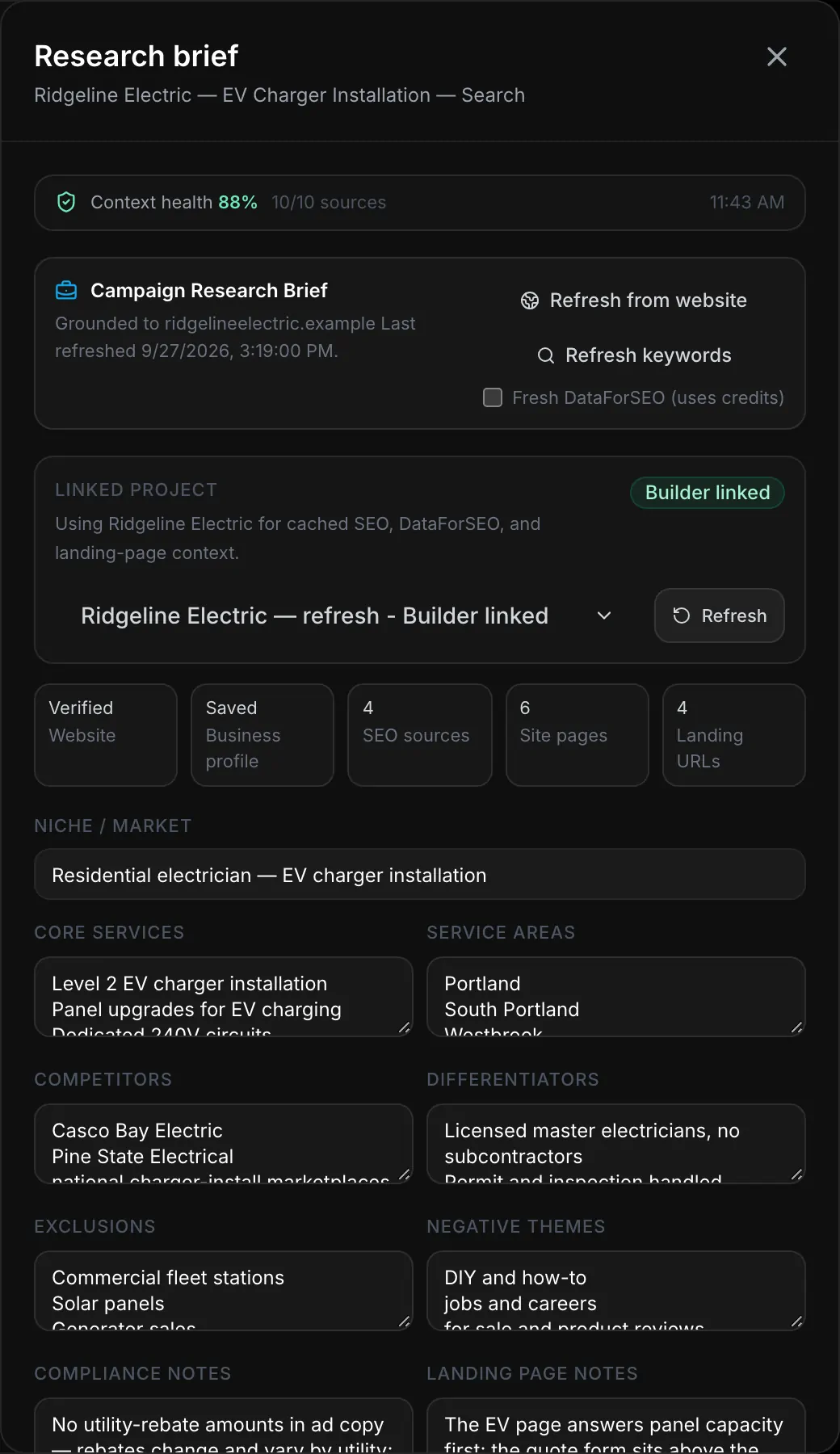
Refresh from website crawls up to 12 pages of the client’s site, runs cited web research and writes a brief you can edit, graded for how confidently it read the site. The agent drafts a whole campaign from that brief and holds each object for your approval.
Google Search, end to end
Budget and bidding, ad groups, keywords with match types, negatives, responsive search ads, extensions, geo and schedule.
Meta, campaign to ad
Campaign and objective, the ad set’s targeting and placements, and a single-image ad.
An AI Google Ads Agent for Agencies. It Drafts, You Decide.
Ask which keywords are ready to bid on. It answers from the client’s own research, then writes the keywords and the ad as changes that wait for your approval.
The Google Ads agent on Ridgeline Electric’s EV charger campaign: the operator asks which keywords are ready to bid on, the agent reads the campaign’s keyword research, answers with three keywords and their searches and costs, drafts them as a keyword proposal and a responsive search ad whose ten headlines and four descriptions pass the character check, and both proposals wait with Approve and Reject buttons. Demo workspace. Business details are fictional; the agent’s replies are scripted.
Meta Ads Management and Ad Reporting Across Both Platforms.
The Meta Ads agent drafts under the same approval as Google, both platforms roll into one set of numbers, and every campaign has its report.
One overview for Google and Meta
Spend, clicks, CTR, CPC and conversions by day, and spend split by platform.
The Meta Ads agent
Ask for a campaign in plain words. Each ad set and ad waits for your approval.
A report for every campaign
Results and spend for each campaign, ready to copy, export as CSV or print.
Send it to the client
Save a recipient and a cadence, then Send Now emails the report.
Leads tied to their campaign
Leads land in the CRM with their campaign, and won deals can go back to Google.

Campaign leads and their outcomes stay connected to the CRM →
Google and Meta ads questions
Can the AI build a campaign from nothing?
Does it spend or change anything on its own?
No. Every proposal waits as a pending action until an owner approves it; there is no auto-approve path on either platform, and a pending change lapses after 24 hours. On the way to the platform the executor re-runs its checks, takes a per-campaign lock, writes the change and reads the account back.
- 1ProposalA typed draft with its reasoning and scorecard
- 2Waits for youPending until an owner approves; lapses after 24 hours
- 3You approveThe only thing that starts execution
- 4Preflight9 named checks, re-run on the way out
- 5LockOne writer per campaign at a time
- 6Dry runGoogle validates the change first (Google only)
- 7WriteThe change is applied; Meta dispatches it exactly once
- 8Read backThe account is read again to confirm it landed
The 9 named checks before a Google write: linked campaign, not a Google Ads draft, landing domain verified, landing page loads, copy limits, required parameters, budget limits, bid limits, Smart Bidding readiness.
Budget: warn above 3× the current daily budget, fail above 10× once past $200/day, fail above $10,000/day. Bid: warn above a $50 CPC, fail above $100. Smart Bidding readiness, 30-day conversions: 15 for Maximize Conversions, 30 for Target CPA, 50 for Target ROAS (warns below, fails well below).
What data does it use — and what doesn’t it?
Live reads of both platforms, a history synced every 30 minutes with 90 days of daily metrics, the leads your campaigns produced, a crawl of the client’s site plus cited web research, and — when the site is in Zyan Build — keyword, ranking, Search Console and GA4 landing-page data. Every recommendation has to cite real ids and real numbers.
- Google Ads, live18 kinds of read, queried when the agent needs them
- campaign, ad group, keyword and ad performance · search terms and search-term mining · quality score diagnostics · RSA asset ratings · hour and day-of-week · demographics and locations · auction insights · Keyword Planner volume, competition, top-of-page bids · bid and budget simulations · Google’s own recommendations · change history · experiments · conversion actions and goals · audiences and user lists · current targeting and negatives · extensions and account assets · Performance Max asset groups and signals · AI Max settings
- The account’s historysynced every 30 minutes · 90 days of daily history on sync
- daily campaign metrics · ad group and ad trends · demographic breakdowns · spend ledger · campaign notes
- Your CRMleads your campaigns produced
- lead status and score · won and lost · click ids on the lead · offline conversions to Google (opt-in, every 15 minutes)
- SEO data, when the site is in Zyan Buildthe Builder SEO cache for the linked site
- keyword volume, CPC and intent · ranked keywords · SERP competitors · Search Console positions · GA4 landing-page signals · verified site pages
- The client’s site and the weba bounded crawl, then cited research
- up to 12 pages of the client’s site · services, pricing, about, reviews · web search with sources · live landing-URL checks
- Meta, livesynced every 30 minutes · live reads on demand
- campaign, ad set and ad metrics · reach and frequency · placements and devices · video retention and hook rate · interest library with audience sizes · custom and lookalike audiences
- The campaign’s memorynotes the agent keeps per campaign
- audience · strategy · performance · creative · competitors · budget · targeting
It does not use Meta’s Ad Library, call tracking, industry benchmark datasets, or any other workspace’s data.
How does it pick keywords?
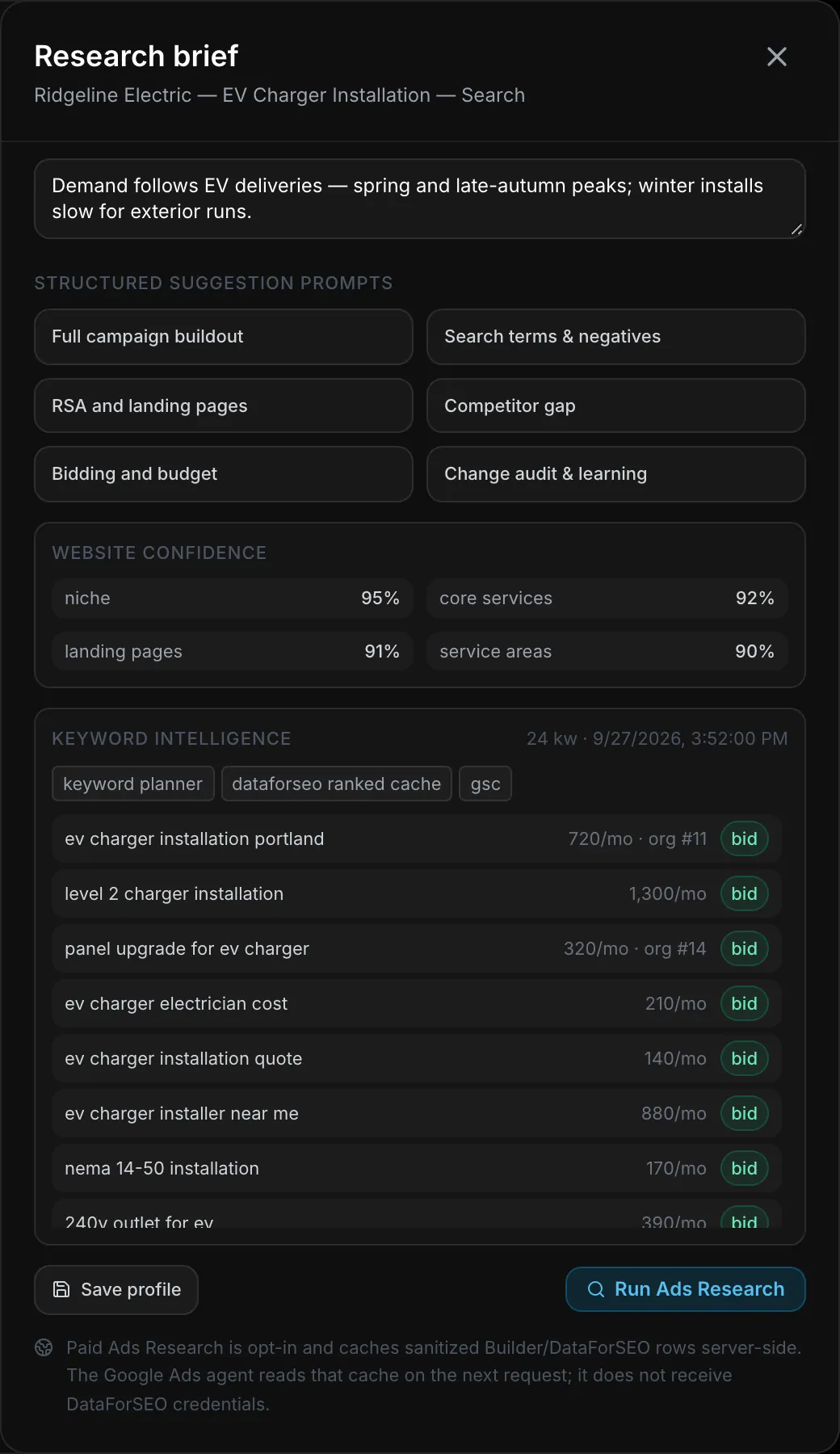
Every keyword from the brief, Keyword Planner and your SEO data lands in one of four bins:
- bidRelevant, not already targeted, with volume — the terms worth buying.
- defend organicYou already rank near the top in search or Search Console — protect it, don’t pay twice.
- make negativeMatches a brief exclusion, or a search term that triggered with near-zero relevance.
- watchEverything else, ranked by opportunity — relevance, volume, intent and the ranking gap.
Which Google and Meta capabilities are supported?
What the agent drafts, optimizes, reads and executes on each platform — including what it doesn’t.
| Capability | Google Ads | Meta Ads |
|---|---|---|
| Drafts from scratch | ||
| Campaign types | Search campaigns | Six objectives, including Leads and Sales |
| Ads | Responsive search ads with pinning | Single-image link ads |
| Not draftedsaid plainly, not hidden | Performance Max, Display, Demand Gen, Shopping, Video | Video, carousel and lead-form ads |
| Optimizes | ||
| Budgets and status | Yes | Yes |
| Bidding | Six strategies, Target CPA and ROAS | Lowest cost, cost cap, bid cap |
| Keywords and negatives | Match types, pausing, shared negative lists | No |
| Creative | RSA edits and assets | Creative updates |
| Targeting and placements | Geo, schedule, demographics, audiences | Audiences, placements, schedules, duplicate ad sets for tests |
| Performance Max, AI Max, Google recommendations | Yes | No |
| Reads | ||
| Live metrics and a 30-minute sync | Yes | Yes |
| Search terms, auction insights, Keyword Planner, bid simulations | Yes | No |
| Video retention, reach and frequency, interest library | No | Yes |
| Leads from your CRM | Yes | Yes |
| Offline conversions to Google | Every 15 minutes, opt-in | No |
| Executes | ||
| Approval required, 24-hour expiry | Yes | Yes |
| Dry run before the write | Yes | No |
| Exactly-once dispatch | No | Yes |
| Per-campaign lock and read-back | Yes | Yes |
