
SEO
Location Pages for Local SEO: One Real Page per Real Place
Local results run on relevance, distance and how well-known a business is. Location pages help when each one describes a real place a customer can use.
Keyword cannibalization is two or more pages on one site serving the same search intent, so they split the signals one page could have had. Search Console can confirm it in a few minutes, and the right fix depends on whether the pages are really doing the same job.
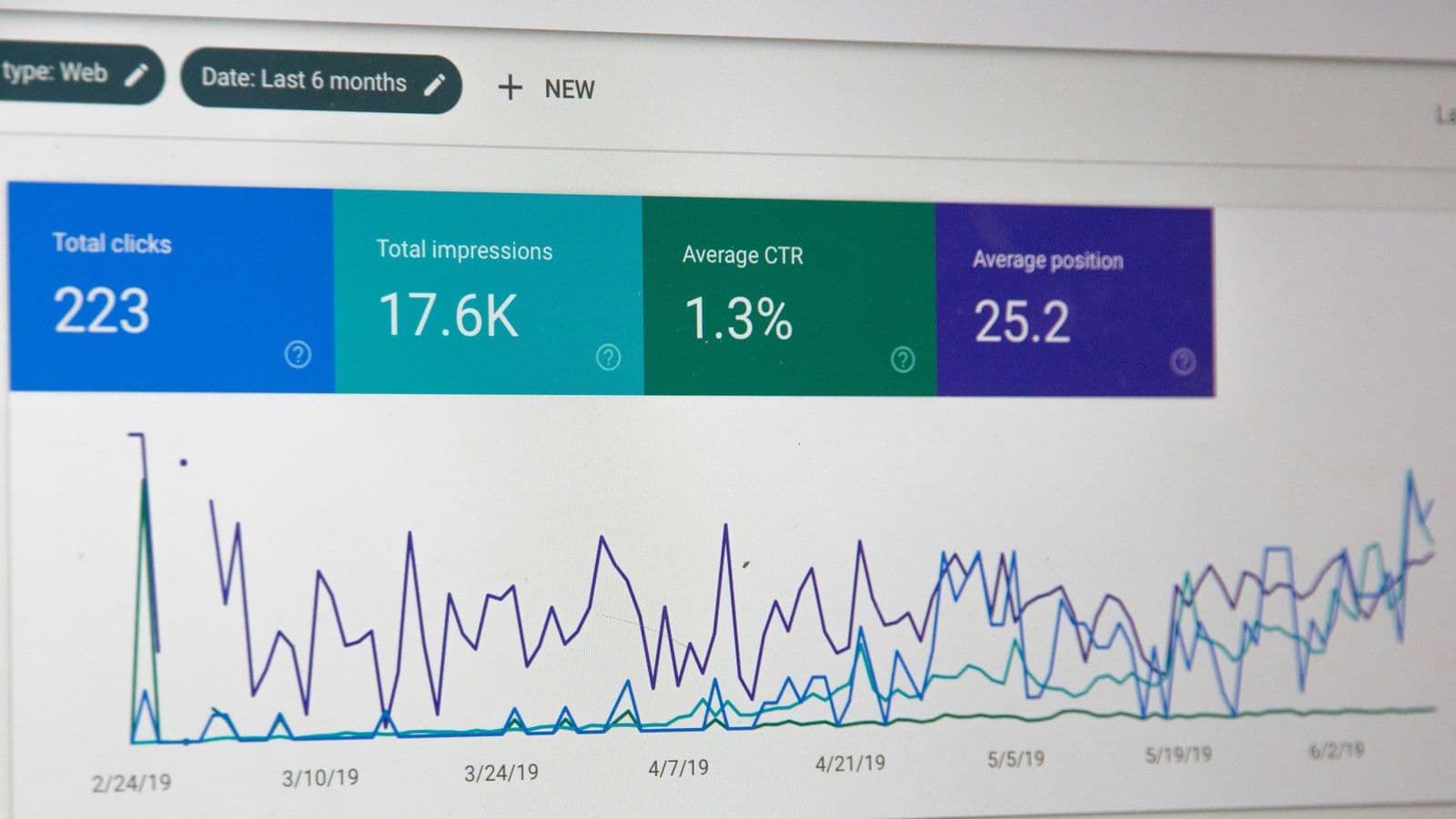
Keyword cannibalization is an SEO term, not a Google one, for a site whose pages compete with each other for the same search. Two articles answer the same question, or a blog post and a service page both chase the same commercial query, and search engines are left to choose between pages that each have part of what one strong page would have.
The overlap of keywords is not the problem in itself. Large sites rank several pages for related queries all the time, and two results from the same site can be a good outcome when each serves a different need: a guide that explains a treatment, and the page that books it. Cannibalization is the case where the pages serve the same intent, so internal links, external links and engagement are split between them, and neither page is the clear answer.
That makes it an intent problem first and a technical problem second. The test that decides every case below is the one from reading search intent from the results page: if two pages would be built for the same results page, one of them should not exist in its current form.
None of these proves cannibalization on its own. Rankings move for many reasons, and a page ranking for an unexpected query is often a sign of breadth, not conflict. The symptoms are a reason to look at the data.
Search Console’s Performance report shows which of a site’s pages Google showed for a query, which is the evidence a diagnosis needs. Work through it query by query for the topics that matter to the business.
Search Console defines position as “the topmost position occupied by a link to your property or page in search results”. When a site appears at positions 2, 4 and 6 for one query, the site-level figure records 2. The report also counts differently by tab: “Data grouped by Queries, Countries, Devices, or Dates is aggregated by property. Data grouped by Pages or Search appearance is aggregated by page.” The consequence for diagnosis is that the site-wide view can look stable while the pages underneath swap places, so the comparison has to be made on the Pages tab, one page at a time.
| What the Pages tab shows | How to read it | Likely action |
|---|---|---|
| One page has almost all the impressions | No competition: Google has chosen | None |
| Two pages rank, each for a different intent | A healthy double listing | Keep both and link them to each other |
| Two pages with the same intent, swapping, both stuck mid-page | Cannibalization | Consolidate into one page |
| A blog post ranks for a query the service page should own | The wrong page holds the intent | Refocus the post and fix internal links |
| Many near-identical pages share small impressions | Thin variants competing | Consolidate; check for doorway patterns |
Cannibalization is rarely one bad decision. It accumulates from ordinary publishing:
teeth whitening cost and how much is teeth whitening become separate posts, though one results page answers both.Start by choosing the page that should win. It is usually the one with the stronger history: more external links, more conversions, the better-established URL, and the format that matches the results page. Then apply the fix that matches the case: merge when the pages do the same job, refocus when both deserve to exist, and point internal links at the winner either way.
When two pages serve the same intent, combine them. Move the useful material from the weaker page into the stronger one, so the merged page is better than either was, then redirect the weaker URL permanently with a 301. Google’s documentation says that with a permanent redirect, “the indexing pipeline uses the redirect as a signal that the redirect target should be canonical”. Update internal links to point at the final URL rather than through the redirect, and remove the old URL from the sitemap.
When both pages deserve to exist, make them different. The usual split is a guide that answers the informational question and a service page that handles the decision. Rewrite the title, the main heading and the opening of the page that is moving, so each page states its own purpose, and remove the duplicated sections from one of them.
Internal links are the clearest statement a site makes about which page is its answer. Links using the query’s wording should point at the chosen page, and links from the supporting page should send readers onward to it. Google’s link guidance asks for descriptive anchor text, which in practice means the anchor names the topic of the page it leads to, not “click here”.
The canonical link is meant for “duplicate or very similar pages”: print versions, parameter URLs, the same product in two categories. Google treats it as “a strong signal that the specified URL should become canonical”, not a command, and it decides what counts as a duplicate based on similarity of content. Pointing the canonical of one substantially different article at another is likely to be ignored, and it leaves both pages live to keep competing. If two pages differ enough to need separate content, they need fix 2, not a canonical.
The durable fix is a record of which page owns which query. It can be a spreadsheet: one row per primary query, with the intent, the owning URL, the page type and the supporting pages that link to it. Before any new brief is approved, the target query is checked against the map. If a page already owns it, the work becomes an update to that page, not a new one.
Review the map quarterly against Search Console. Filter the Performance report to the site’s most valuable queries and confirm that the page receiving impressions is the page the map says should. A mismatch is either a new conflict or a sign that the map is out of date, and both are worth an hour.
Local results run on relevance, distance and how well-known a business is. Location pages help when each one describes a real place a customer can use.

The results page is the answer key: how to read it for intent, handle a query that means two things, and choose the page type before writing.
The order to check a site in — crawl, render, index, understand — what to look for at each step, and how to turn the findings into fixes a client approves.